A resume builder that labels ATS-risky resume templates
Our resume builder has 24 resume templates honestly labeled for ATS risk and file support, with PDF for every design and Word where supported.
Our resume builder offers 24 templates, 11 of them labeled ATS-safe. The other 13 alternative layouts are clearly marked so you can choose based on the role and application channel. Building and editing need no account; a free account saves one base resume and exports unstyled resume TXT. A pass or subscription unlocks a styled resume PDF with every template or editable resume Word on supported templates.
Most resume builders are in the business of making your resume look impressive on a screen. Two columns, a sidebar, a circular photo, little skill bars that fill to 85%, an icon next to your phone number. It looks designed. It looks like you tried. And a good chunk of it is the exact stuff that makes the screening software - the ATS, or applicant tracking system - choke. These are the parsing failures we walked through in detail here. The prettiest template in the gallery is often the one the parser reads as a scrambled mess, or doesn't read at all.
So the thing that bothered me wasn't that builders make ugly resumes. It's that they make beautiful ones and don't tell you the beautiful ones can sink you.
Two things up front, because they're what everyone asks. Building, editing, and unstyled resume TXT export are free. A pass or subscription unlocks a styled resume PDF, supported resume Word file, AI tailoring, the full matching cover letter and tailored files. And if you already have a resume, you can upload it instead of starting again.
The problem with most builders
A resume builder has one job that's easy and one job that's hard, and most of them quietly swap which is which.
The easy job is layout - margins, fonts, a place for each section. The hard job is helping you say true things in the language the role is asking for. Builders pour their energy into the easy job, because layout is what photographs well in an ad. You get a stunning two-column template, you fill it in, you export it, you apply - and you hear nothing. A messy parse doesn't guarantee a rejection, but it quietly stacks the odds against you: you're harder to surface in a recruiter's search, you rank worse on the automatic match, and you're left hoping someone opens the original file. The template did its job. It looked great. It just wasn't readable to the software standing between you and the recruiter.
That's the trap. A resume that impresses you on screen and a resume the parser can read cleanly are not the same document, and the gap between them is where applications quietly die.
What we actually built
Open the builder and you start one of three ways:
- Upload a file - PDF, Word, or plain text, up to 5 MB. It reads your actual file, not a rough guess at it.
- Paste your old resume in as text, if that's faster.
- Build from a blank template with a short step-by-step wizard - Contact, Work, Education, Skills, Summary, Extras - with a student mode that puts your education and projects first, because when you're early-career that's your strongest card.
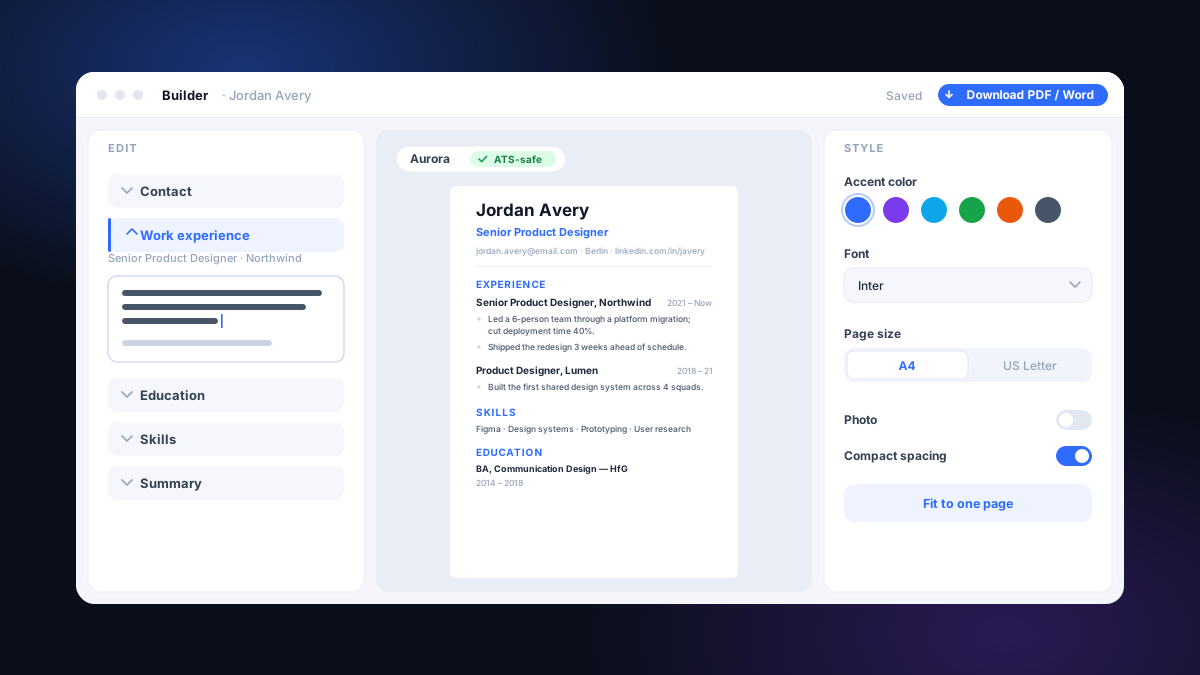
From there it's a live editor. You type on the left; a true preview renders in the middle using the same engine that produces your final PDF; you restyle on the right - accent color, font, spacing, A4 or US Letter, an optional cropped photo. There's a one-click "fit to one page," undo/redo, and the whole thing auto-saves to your account as you go. On a phone it folds down to one screen at a time. All 24 templates export to PDF; those marked as Word-supported also export DOCX.
But the templates aren't the interesting part. Every builder has templates. The interesting part is the label sitting on each one.
It's the whole reason I think this builder is differentThe few templates that can trip screening software are marked, not hidden. You shouldn't have to find out your template was the problem after the silence.
Honestly labeled, not hidden
Here's the rule we set. Eleven of the 24 templates are single-column, standard-heading, real-text layouts, and those are labeled ATS-safe. The other 13 use alternative structures a parser can mishandle and carry the matching risk label. You can filter the gallery by label so the information is visible while you browse.
We could have buried the risky ones, or quietly deleted them. We didn't, for a reason that matters: sometimes the risky template is the right call. A designer applying through a small studio's careers page - no automated screen anywhere in sight - might genuinely be better served by the Harbor banner or the Modern timeline. That person doesn't need to be protected from a banner layout. They need to know it's a banner layout, and decide with their eyes open.
That's the difference between a tool that treats you like you can't be trusted with information and one that just gives you the information. We went with the second.
A resume template won't write this for you
One thing the builder can't do: it can't make a vague bullet specific. The layout is the container. The words are the job, and the words are on you. Here's the bar to aim for, whichever template you pick:
Same person, same role. The second one earns the read because it's specific and you could defend it in a fifteen-minute conversation. A beautiful template wrapped around the first bullet is still the first bullet. And the bar is the same whether you're senior or just starting out - "Tutored 5 first-years in calculus; 4 raised their grade a full letter" beats "helped students with math" for exactly the same reason.
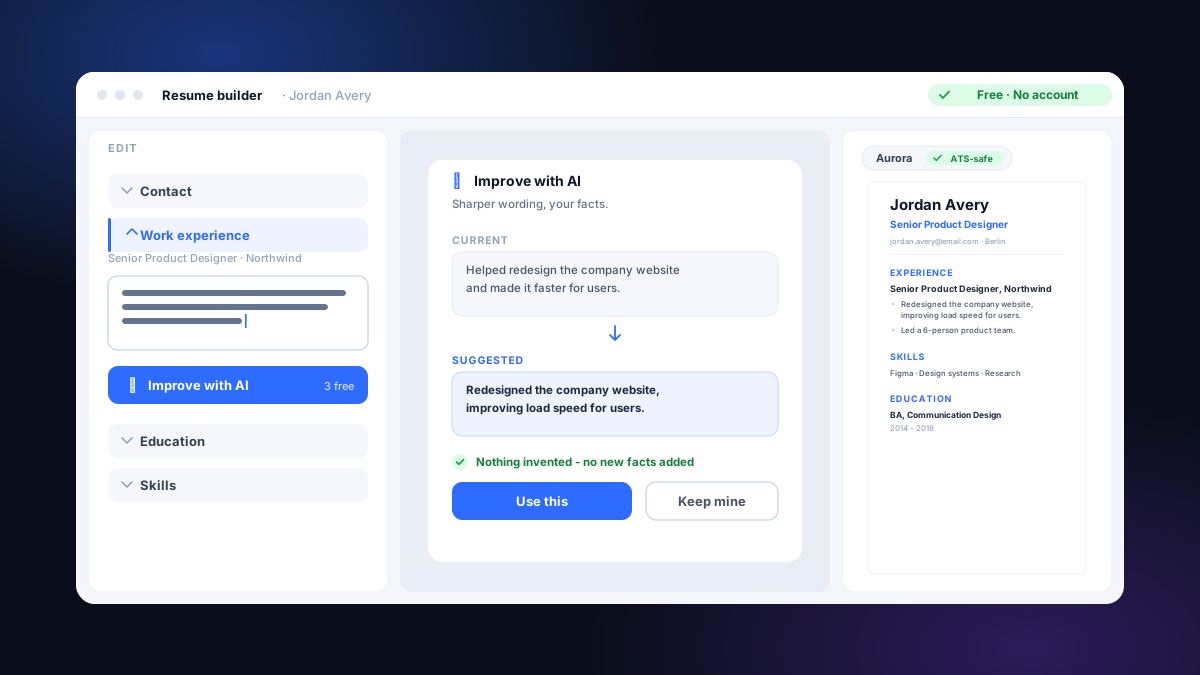
What the builder will do is quietly catch the self-inflicted stuff - leftover placeholder text you forgot to swap out, a bullet you pasted twice, a date that's in the future or out of order. Honest nudges, not an AI rewriting your career for you, and not a made-up "ATS score" flashing green at you. We didn't put a fake meter in here, and we didn't bolt a chatbot onto your work history. The writing stays yours.
Build, tailor, check - the whole loop
The builder isn't a standalone toy; it's the front door to everything else here. Once you've built a clean resume, the rest of the loop is already waiting - and you don't re-upload anything to use it:
- Tailor it to a real job. Send a built resume straight into tailoring against a specific posting, and the same true experience gets rewritten in the role's language, with a matching cover letter. Nothing invented. (This is the paid step - building stays free.)
- Check how it reads. Our free ATS check scores how cleanly the software can parse what you built, every point explained in plain language.
- Test it against a specific role. The job-offer match shows which of the posting's must-have terms you cover and which you're missing, against that exact role.
Build clean, tailor honestly, check before you send. That's the entire workflow, and the builder is step one.
What's free, and what isn't
Building and editing are free with no card. A free account creates one base resume and exports every existing base resume as unstyled resume TXT. A pass or subscription unlocks a styled resume PDF, supported resume Word file, AI tailoring, full cover letters, and tailored application files. Accounts created before 3 September 2026 retain free base-resume file access.
There is no quota on unstyled resume TXT exports: they are free after sign-in. Every active pass or subscription includes re-exports of eligible styled resume files, tailored resumes and full cover letters; downloading never spends another application.
Choose Starter, Pro, or Max with monthly or 3-month billing. Starter is shown first; compare Pro and Max when you need more applications. Subscriptions renew until cancelled in 3 clicks from Billing, with an email reminder 2–4 days before renewal. The first subscription charge has a 14-day refund. Compare subscriptions.
FAQ
Why would a two-column resume hurt me if it looks fine to me?
Because the software doesn't see your layout - it reads the text and tries to sort it into fields. Most parsers find your sections by their headings ("Experience", "Education") and then read top to bottom. Two columns can make it read straight across both, splicing a job title into a skills list. A single column removes the guesswork. It's also why we keep headings standard: a clever heading like "My Journey" can drop your whole work history out of the parsed profile.
Which subscription should I choose?
Starter, Pro, and Max include 10, 40, or 150 applications per monthly allowance period and can be billed monthly or every 3 months. Starter is the default for a focused search. Compare Pro and Max when you need more capacity. Subscriptions renew until you cancel in 3 clicks from Billing.
I have almost no experience - is the builder still worth it?
Yes, and it's built for exactly that. Turn on student mode and it leads with your education and projects, because early on that's your strongest card. The honest part still holds: a clean template plus specific, true bullets - a class project, an internship, a tutoring job - beats a vague paragraph in a fancy layout every time.
Can I leave and come back, or do I have to finish in one sitting?
Come back whenever. Everything auto-saves to your account as you type, so you can build a bit, close the tab, and pick up later. Building and editing are unlimited and free, so there's no clock running.
Should I send a PDF or a Word file?
Follow the posting first. PDF is available on every template. If a posting asks for Word, choose a template marked as Word-supported and download its editable DOCX. The six PDF-only designs are labeled in the gallery. Never send a scanned image or photo of a resume. The full PDF versus Word decision guide explains what to do when both formats are accepted and how to test the final file.
Does the builder write my resume for me?
No - and that's deliberate. It handles the formatting and quietly flags the self-inflicted mistakes (leftover placeholder text, a bullet pasted twice, a date in the future). It won't invent experience or flash a fake "ATS score" at you. The words stay yours; the tailoring step only rewrites what's already true into a role's language.
Before you pick a resume template
A quick gut-check before you start clicking through the gallery. It's the boring stuff that decides whether the prettiest option is also the right one.
- I know whether this role is screened by software or read by a person (when unsure, assume software).
- If I'm reaching for a two-column, timeline, or banner template, I've read its label and I'm choosing the risk on purpose.
- My top third makes my fit for this kind of role obvious at a glance.
- Every bullet is specific enough to defend in a short conversation.
- I'll export a real PDF, or choose a Word-supported template when DOCX is required - never a scanned image.
- Before I apply, I'll run it through the ATS check and tailor it to the actual posting.
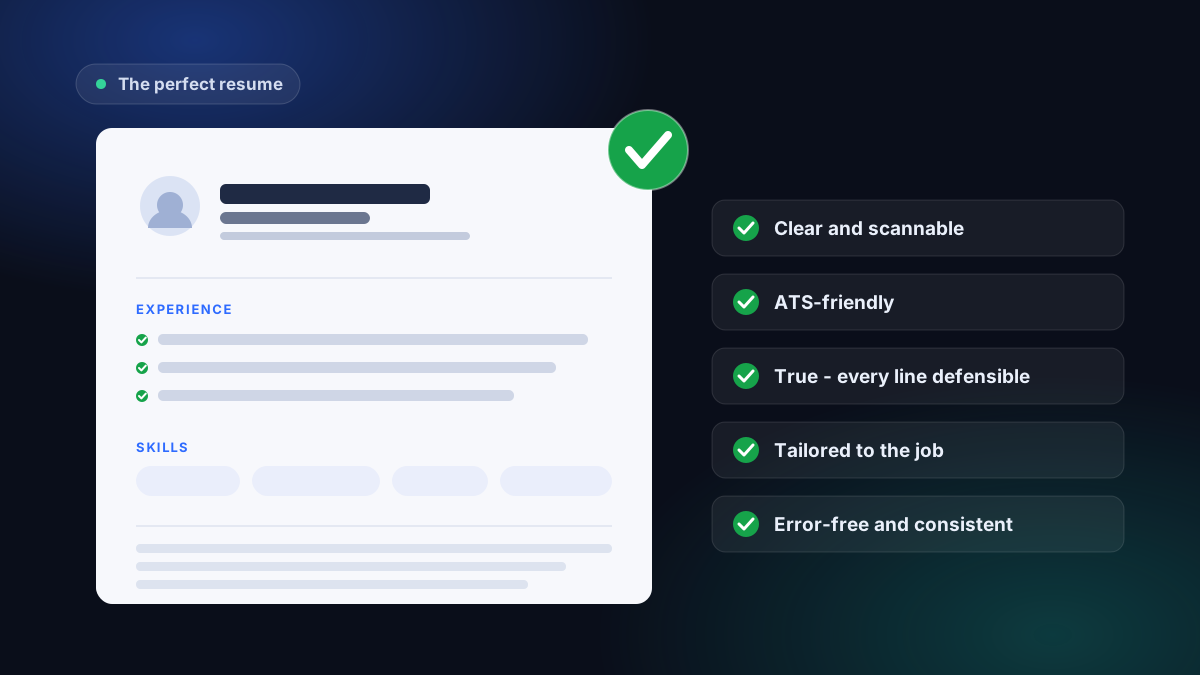
A resume builder shouldn't be a beauty contest you lose without being told why. Ours gives you 24 templates and tells you the truth about ATS risk and file support. Pick with full information, write something you can stand behind, and tailor it to a real job.
Common questions
Is the resume builder free?
Building and editing are free with no card. A free account creates one base resume, saves it and exports unstyled resume TXT. A pass or subscription unlocks a styled resume PDF on every template plus editable resume Word on supported templates.
Which resume templates are safe for an ATS?
Eleven of the 24 are labeled ATS-safe - single column, standard headings, real selectable text. Thirteen alternative layouts carry an ATS-risk label. You can filter the gallery by label and choose with your eyes open.
Can I export to Word, or only PDF?
Every template exports to a real text-based PDF. Templates marked as Word-supported also export DOCX; the six PDF-only designs are labeled before you choose them.
Do I have to build from scratch, or can I use my existing resume?
Either. Upload the resume you already have (PDF, Word, or plain text) and tailor it to a job, or start clean in the builder - by file, by pasted text, or with a guided step-by-step wizard.
Will a resume I build here get past the screening software?
A clean ATS-safe template plus content that genuinely matches the role reads fine. The builder handles the formatting half - single column, real text, sensible headings. You, and our tailoring step, handle the relevance half. Both matter, and nothing 'automatically passes.'
Is the builder available in French?
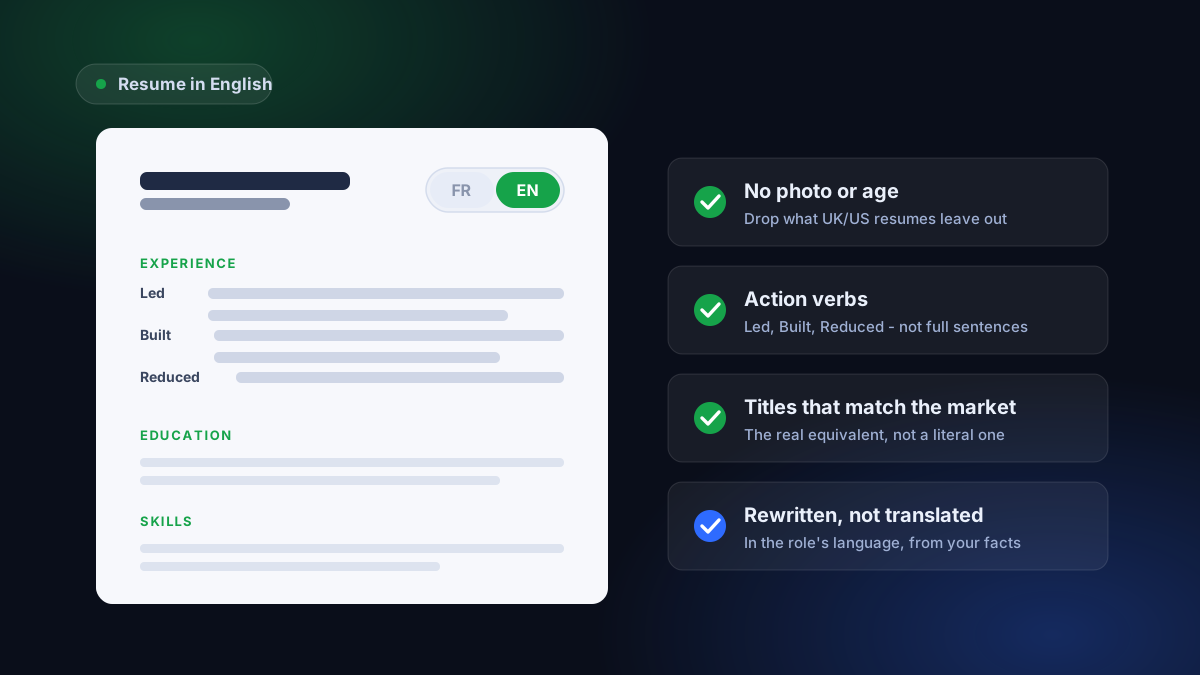
Yes - the builder, templates, and PDF export work in English, French, Spanish, German, and Italian. Word export is available on templates marked as supported.