A free AI resume builder with one free resume PDF
Free AI resume builder: save 3 resumes, choose one for PDF downloads, and export TXT. Monthly Pro adds Word and tailored application files.
Create a free account, then import your resume or start from scratch. Save up to 3 base resumes, choose one for watermark-free PDF downloads in all 28 templates, and download every base resume as TXT. You can correct and download the same chosen resume as often as you need. Deleting it does not reset your choice.
Create your free account, then start your resume
Sign in or create a free account before opening the editor. Save up to 3 base resumes, choose one for free PDF downloads, and download every base resume as TXT.
Four ways to start: import, paste, or build from scratch
The opening screen gives you four ways in, and all four are free:
- Import your resume - drop in a PDF, Word (.docx), or text file. The AI reads your actual file and fills in your sections, so you never retype the resume you already have.
- Paste your old resume as plain text - from LinkedIn, from a Word doc, from anywhere - and the AI sorts it into the right sections.
- Build from scratch with a short, guided wizard that walks you through contact, work, education, skills, summary, and extras.
- Start with a pre-filled example and swap in your own details, if a blank page is the hard part.
If you build from scratch, the wizard opens with one plain question - what should lead your resume, your experience or your education - so the structure fits where you actually are. Your jobs lead if you have work history; your studies and projects lead if you're early in your career. No presumptions either way.
If the document is current enough to keep, use the three-pass resume update method to remove stale content, add verified evidence, and retarget the strongest material without starting over.
How the AI resume builder reads and structures your resume
This is where an AI resume builder earns its name and where most of them overreach. When you import a file or paste text, the AI parses it into clean, editable sections - contact details, work history with its bullet points, education, skills, languages, publications. The important part is what it does not do at this stage: it keeps your exact wording, your numbers, your results. No translation, no rewriting, no quiet embellishment. It's reading and organizing, not generating.
While it works - about half a minute - a "Building your resume" screen shows honest, staged progress: reading your resume, finding your real experience, organizing it into clean sections. It's there so you can see it's working on your document, not spinning up something generic in the background.
The line we won't crossBuilt from your real experience. The AI structures what you already wrote - it never invents a job, a number, or a title you didn't put there.
Improve with AI: sharper bullets, nothing invented
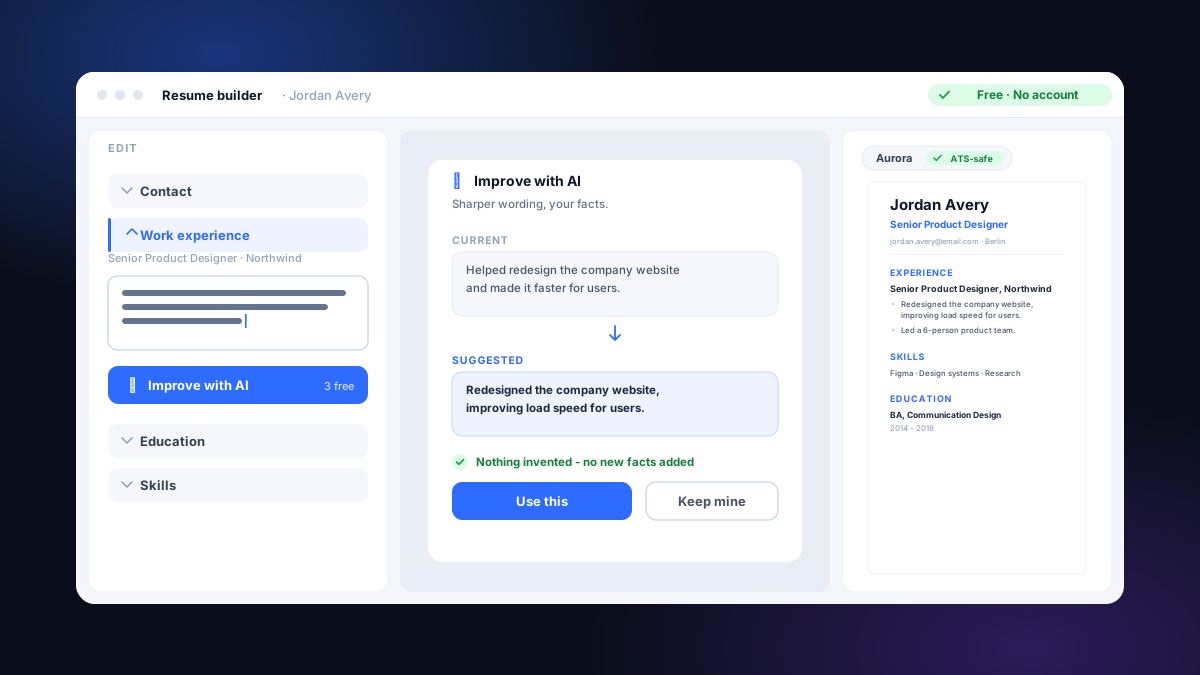
Here's the part I'm proudest of, and the part most likely to be misused elsewhere. Every role on your resume has an Improve with AI button - the small ✦. Tap it and the AI rephrases that role's bullet points into tighter, more scannable wording, then shows you a clear before and after. You stay in control of every line:
- Use this applies the rewrite. Keep mine keeps your original. You can undo even after you've accepted.
- It never invents facts. A built-in check reads the rewrite against what you wrote and reverts any line that tries to add a number, a tool, a title, or a claim that wasn't in your original. The sharpening is allowed; the fabrication is not.
- It is honest about its job: this polishes how your experience reads. It does not tailor your resume to a specific posting - tailoring is a separate action, with 2 complete application previews free each calendar month and paid file downloads.
So it improves resume bullet points without rewriting your career. Here's the kind of move it makes:
Same facts, same person - the second simply says them with verbs and structure instead of "responsible for." Notice what the AI did not do: it didn't bolt on a fake "cut response time 30%" or a headcount you never managed. If a rewrite had tried to, the built-in check would have reverted that line before it reached your screen. That guardrail is the whole point. Nothing invented, in your own voice.
The detailed guide to writing resume bullet points without fake metrics shows how to add action, scope, and verified evidence even when no reliable percentage exists.
An ATS-friendly resume builder: live preview as you type
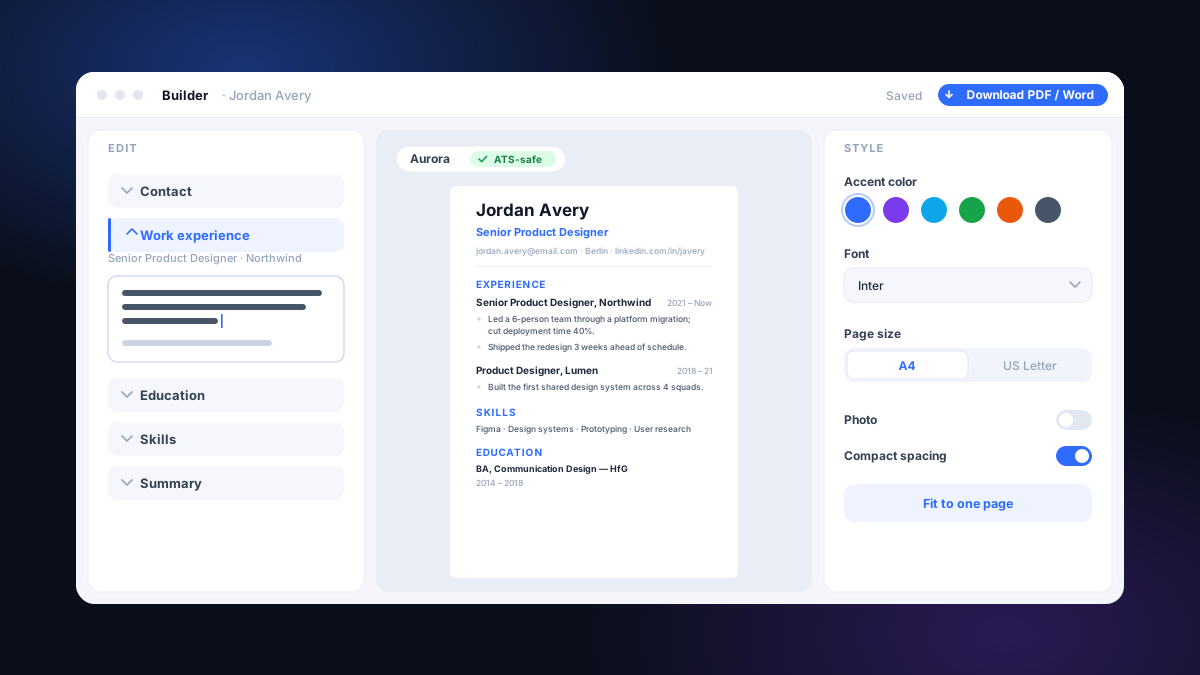
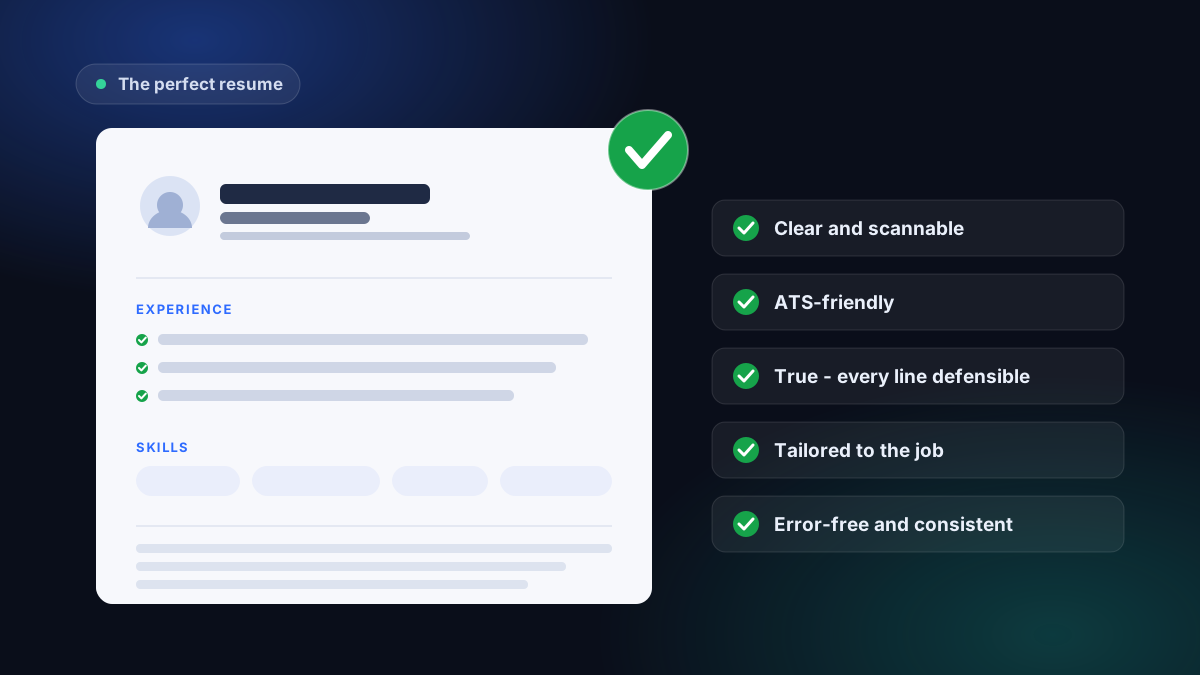
Every change you make renders immediately, and what renders is ATS-friendly by default - single-column, standard headings, real selectable text, the formatting screening software actually reads. A live "machine-readable" indicator and a resume-health panel flag issues as you write - a duplicated bullet, leftover placeholder text, a date out of order. Honest nudges, not a fake score flashing green. There's no "beat the ATS" claim here and no guaranteed pass; clean formatting just stops you losing points you shouldn't lose. We go deep on what an ATS does and doesn't read in our ATS-safe templates post.
The Design panel lets you change template, accent color, and spacing, and changing the look never touches your words - the words and the styling are kept separate, and everything has undo. You can make it yours without risking the content.
Save your resume and continue on another device
Your account saves your resume and layout while you work. Wait for the saved status before closing the editor. Sign in on another device to continue from the saved version.
What is free and what needs Monthly Pro
A free account saves up to 3 base resumes. Choose one for free, watermark-free PDF downloads in all 28 templates, including corrections and repeat downloads of that same resume. Unstyled TXT is free for every base resume.
Read 2 complete tailored-resume and matching cover-letter previews each calendar month. Their file downloads require paid access.
One chosen base resume is free to download as PDF. Word files, PDFs of other base resumes, and tailored-resume and cover-letter files require paid access.
Monthly Pro includes 10 tailored applications a month, each with a matching cover letter, plus resume PDF and supported Word downloads. Cancel anytime.
Build, then tailor and check - the whole loop
The builder is the front door, not the whole house. Once you've built a clean resume, the rest of the loop is already waiting, and you don't re-upload anything to reach it:
- Tailor it to a real job. Send your built resume into tailoring against a specific posting and your true experience is rewritten in the role's language, with a matching cover letter. Nothing invented. You can read 2 complete application previews free each calendar month; downloading their files requires paid access. The how-to-tailor guide walks through what good tailoring looks like.
- Check how it reads. The free ATS check scores how cleanly the software can parse what you built, every point explained in plain language. Our ATS-friendly post covers what those points mean.
Build clean, improve in your own voice, then tailor and check before you send. Start with a free account and keep your work saved as you go.
Common questions
Do I need an account to use the free builder?
Sign in or create a free account before opening the editor. Save up to 3 base resumes, choose one for free PDF downloads, and download every base resume as TXT.
Does the AI write my resume for me, or invent things?
Neither - BoostMyResume's AI never invents facts: a built-in check reverts any line that tries to add a number, tool, title, or claim you didn't write. It structures what you import or paste, keeping your exact wording and numbers, and Improve with AI rephrases your own bullets into sharper wording. It sharpens your real experience - nothing invented.
Can I import my existing resume instead of starting over?
Yes. Drop in a PDF, Word (.docx), or text file, or paste your old resume as plain text, and the AI reads it into clean, editable sections - contact, work history, education, skills, and more. You never retype. You can also start from a blank wizard or a pre-filled example.
What's the difference between Improve with AI and tailoring?
Improve with AI rewrites the bullet points you select. Tailoring uses a job description to create a separate resume and matching cover letter. Each has its own allowance; you can read 2 complete application previews free each calendar month.
Does my resume stay saved?
Your account saves your resume and layout while you work. Wait for the saved status before closing the editor. Sign in on another device to continue from the saved version.
Can I download the resume for free?
Yes. Choose one saved base resume for free, watermark-free PDF downloads in all 28 templates, including corrections and repeat downloads. Deleting it does not reset the choice. TXT is free for every base resume. Word, other base PDFs and tailored application files require paid access.
What file formats can I import and download?
Import PDF, Word (.docx), or plain text. Download your chosen free base resume as PDF and every base resume as TXT. Paid access adds other base PDFs, Word for supported templates, and tailored-resume and cover-letter files.
Is it free or freemium - what's the catch?
The free account includes 3 saved base resumes, one chosen resume with unlimited free PDF downloads, TXT for all, separate AI allowances and 2 full application previews per calendar month. Monthly Pro adds 10 applications per month and paid file downloads. Prices and renewal terms are shown before payment.