PDF or Word Resume for ATS: Which File Should You Send?
For ATS applications, follow the stated file rule first. If PDF and Word are both accepted, use this evidence-based checklist to choose and test your resume.
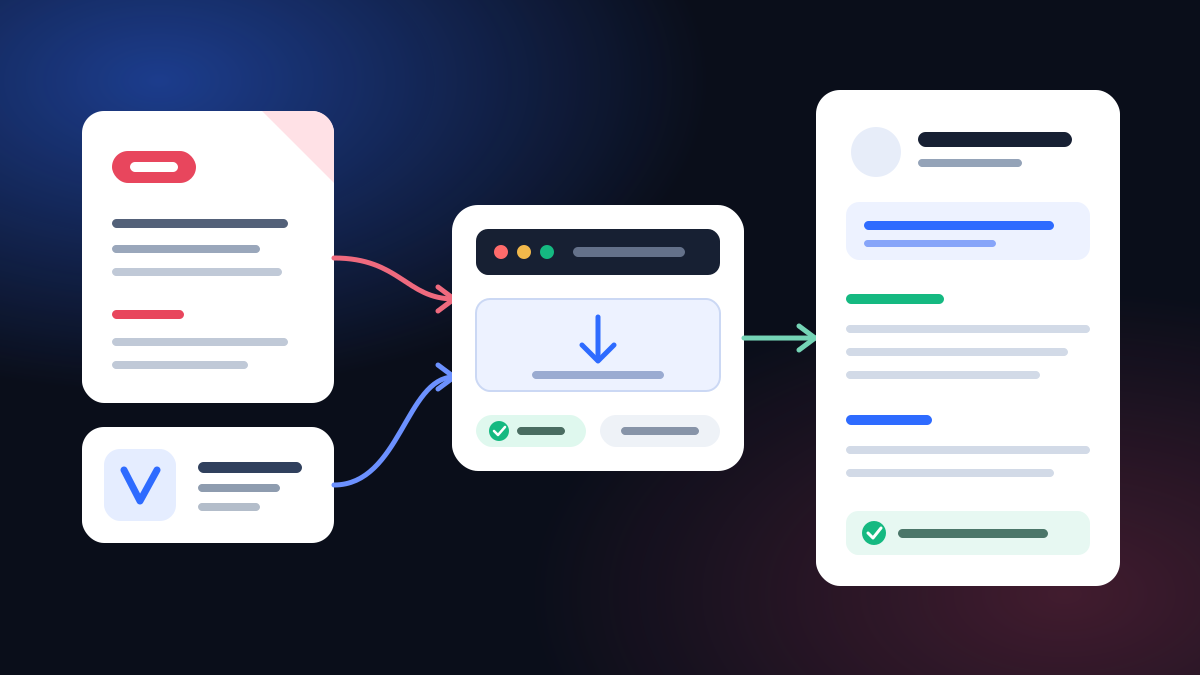
For an ATS application, send the file type the employer or portal requests. If both PDF and Word are accepted, a text-based PDF is usually a sensible default for preserving layout, while DOCX is the better choice when an editable Word file is specifically requested. No file extension wins across every applicant tracking system, so test the final document.
That answer is less dramatic than “always PDF” or “never PDF,” but it is more useful. Official employers and public university career centers publish different acceptable formats, which is exactly why the application in front of you must outrank a universal internet rule.
PDF vs Word resume: the quick decision table
| Situation | File to send | Why |
|---|---|---|
| The posting says PDF only | The instruction settles the choice. | |
| The posting says Word or DOCX | DOCX | A requested editable file outranks general PDF advice. |
| The portal accepts only one extension | That accepted extension | Renaming the suffix does not convert the file. |
| PDF and DOCX are both accepted | Usually a text-based PDF | It preserves the intended page layout when generated correctly. |
| A person asks for an editable version | DOCX | They have stated the use case. |
| Your only PDF is a scan | Re-export from the source document | A picture of text is not the same as extractable text. |
| The portal creates a broken profile from one version | Try the other accepted version | The extracted result is direct evidence from that application. |
The word usually matters. File choice is a compatibility decision, not an ATS trick.
Why there is no universal winner
“ATS” describes a category of systems, not one parser with one rulebook. Employers configure their application workflows differently, and the same organization can accept several file types.
The public guidance reflects that reality:
- USAJOBS recommends PDF to maintain formatting and page count, while also accepting Word DOC/DOCX, RTF, TXT, ODT and several image formats within its stated limits.
- The University of Virginia Career Center says PDF, DOC and DOCX can be used for most resume submissions, notes that PDFs are more likely to retain formatting, and tells applicants to check each application's allowed formats.
- Texas Tech University's Career Center advises submitting PDF whenever possible to preserve formatting, while recognizing that some applications request a Word file and should be followed.
These sources do not prove that PDF parses better in every private hiring system. They support a narrower, more defensible rule: follow the application, then use a readable file that preserves your intended content.
What “text-based PDF” actually means
A PDF can contain real characters, pictures of characters, or a mixture of both. They may look identical on screen. To an extraction tool, they are not identical.
A text-based PDF normally lets you:
- select a single word with the cursor;
- search for a name or skill inside the document;
- copy a paragraph into a plain-text editor;
- preserve letters and numbers in a logical order.
A scan may select as one large image, return no search result and paste nothing. Optical character recognition can sometimes recover it, but you should not make the application depend on that extra step.
The same distinction applies to a “designed” PDF whose text has been converted to outlines or fragmented into an odd order. It may contain selectable shapes or characters without producing a clean resume when extracted.
What a Word file changes
In this article, “Word resume” means a .docx file. Its main advantage is editability. If the employer asks for Word, the reason may be procedural rather than related to ATS parsing. Your job is to supply the requested file, not guess the employer's workflow.
DOCX does not rescue a structurally complex resume. Tables, floating text boxes, disconnected sidebars and decorative headers can still create a confusing reading order. A simple Word file can be excellent; a complicated one can still extract badly.
Keep the source document and the submitted document separate in your mind:
- source: the file you edit and update;
- submission: the exact PDF or DOCX you upload;
- extracted profile: what the portal believes the file says.
Always verify the submission version. A clean source file does not guarantee that the final conversion stayed clean.
The five-step file check before you apply
1. Read the instruction, including the small print
Look for accepted extensions, maximum file size, page limits, filename rules and restrictions on encrypted files. USAJOBS, for example, states a 5 MB limit, accepts several file types and rejects PDF portfolios, encrypted documents and digitally signed documents. Those are rules for that public system, not universal limits for every application.
If the instruction says DOCX, send DOCX. Do not submit PDF because someone online called it “more professional.” Following a clear requirement is the professional choice.
2. Inspect the upload control
The file picker may be more current than an old help article. Check which extensions it allows. If the portal rejects your file, do not change .pdf to .docx in the filename. Re-export or save a real version in the required format.
If both formats are allowed and no preference appears, start with a properly exported PDF. Keep the Word version beside it so you can switch if the preview reveals a problem.
3. Run the copy-and-paste test
Open the exact file you plan to upload. Select all text, copy it and paste it into a plain-text editor. Then inspect:
- name, phone and email;
- headline or profile;
- section order;
- employer, title and date pairings;
- bullets and special characters;
- skills and certifications.
This test catches empty scans and obvious reading-order failures. It does not certify the resume for every ATS. Treat it as a practical failure check, not a guarantee.
For the broader structural issues behind columns, tables and unconventional headings, use the guide to making a resume ATS-friendly.
4. Review the portal's extracted profile
Some applications populate form fields after upload. Read every field before submitting. A parser that places your degree in the employer field or loses the second column has shown you a real problem.
Correct the fields manually if the portal allows it, then consider uploading the other accepted format. Do not assume that a beautiful document preview means the extracted data is equally clean.
5. Save both, submit one
Keep a text-based PDF and a clean DOCX version of the same resume. Submit only the requested one unless the application explicitly asks for both.
Use a clear filename such as Avery-Chen-Resume.pdf or Avery-Chen-Operations-Resume.docx. Avoid vague names such as resume-final-v7-new.pdf. The filename is not an ATS ranking factor, but it helps a human identify the attachment and helps you avoid uploading the wrong version.
Common format advice that goes too far
“PDF always beats Word”
No. A requested DOCX is the right file. A broken or scanned PDF is not improved by its extension.
“ATS cannot read PDF”
Also no as a universal statement. Major public application systems accept PDF, and multiple public university career centers recommend it when accepted. The specific file and workflow still matter.
“If the text is selectable, the resume will pass”
Selectable text is a useful check, not a promise. Reading order, section recognition, job relevance and the employer's evaluation process remain separate issues.
“Send both versions to be safe”
More attachments do not automatically create more safety. They can create uncertainty about which version is authoritative. Follow the requested submission package.
A clean format still needs relevant content
PDF versus Word answers only one layer of the application. A perfectly extracted resume can still be irrelevant to the posting, and a relevant resume can still be hard to parse.
Check both:
- machine readability: can the document's text and structure be extracted?
- job relevance: does the resume use the role's language where it truthfully matches your experience?
The step-by-step ATS optimization guide covers the content side. If you are choosing a new layout, the ATS-labeled resume template guide explains which designs are marked for lower parsing risk and which are deliberately flagged.
Pre-submit checklist
- I followed the format named in the posting or application instructions.
- The portal accepts the extension and file size.
- The file contains real text, not only a scan or image.
- Copying into plain text preserves the section and date order.
- The portal's extracted profile contains the correct information.
- The document is not encrypted, digitally signed or packaged as a portfolio unless requested.
- I am submitting one clear final version, with a useful filename.
Public and public-university sources
- USAJOBS Help Center - How do I write a resume for a federal job?
- University of Virginia Career Center - Navigating Applicant Tracking Systems
- Texas Tech University Career Center - Job Search Documents
- University of Missouri-St. Louis Career Services - Resumes and Applicant Tracking Systems
The right answer is therefore conditional, but simple: obey the stated rule; if both PDF and Word are accepted, prefer a text-based PDF for stable presentation and keep DOCX ready for workflows that request editability. Then test the exact file you will send.
Common questions
Is PDF or Word better for ATS?
Neither is universally better for every ATS. Follow the employer's requested format first. If both PDF and DOCX are accepted, a text-based PDF is a practical default for preserving layout, while DOCX is the right choice when an editable Word file is requested. Test the final file instead of trusting the extension alone.
Can an ATS read a PDF resume?
Many application systems accept and extract text from PDFs, but the PDF must contain real text in a sensible reading order. A scan or image-only PDF can fail even though its filename ends in .pdf. The upload instructions and extracted preview are stronger evidence than a general rule.
When should I send a Word resume?
Send DOCX when the posting asks for Word, the portal accepts only DOC or DOCX, or a recruiter explicitly needs an editable file. Do not convert a complex design and assume the Word version is clean; inspect it after conversion.
How can I tell whether my PDF is text-based?
Open the final PDF and try to select individual words. Copy all text and paste it into a plain-text editor, then check the order of sections, dates, bullets, and contact information. This catches obvious extraction failures but cannot guarantee how every ATS will parse the file.
Should I send both PDF and Word versions?
Usually no. Submit the one format requested by the application. Sending extra attachments can create ambiguity and may break instructions. Keep both versions available so you can respond when an employer asks for the other one.