Quick answer
Use Improve with AI to rewrite a resume summary or bullet point, compare grounded suggestions and accept only wording that stays true to your experience.You can improve a resume with AI safely when the tool rewrites only the facts you supplied and you review the result before using it. In Boost My Resume, Improve with AI works on one summary or experience entry at a time. It does not automatically tailor the whole resume to a job description.
1. Choose the resume text you want to improve
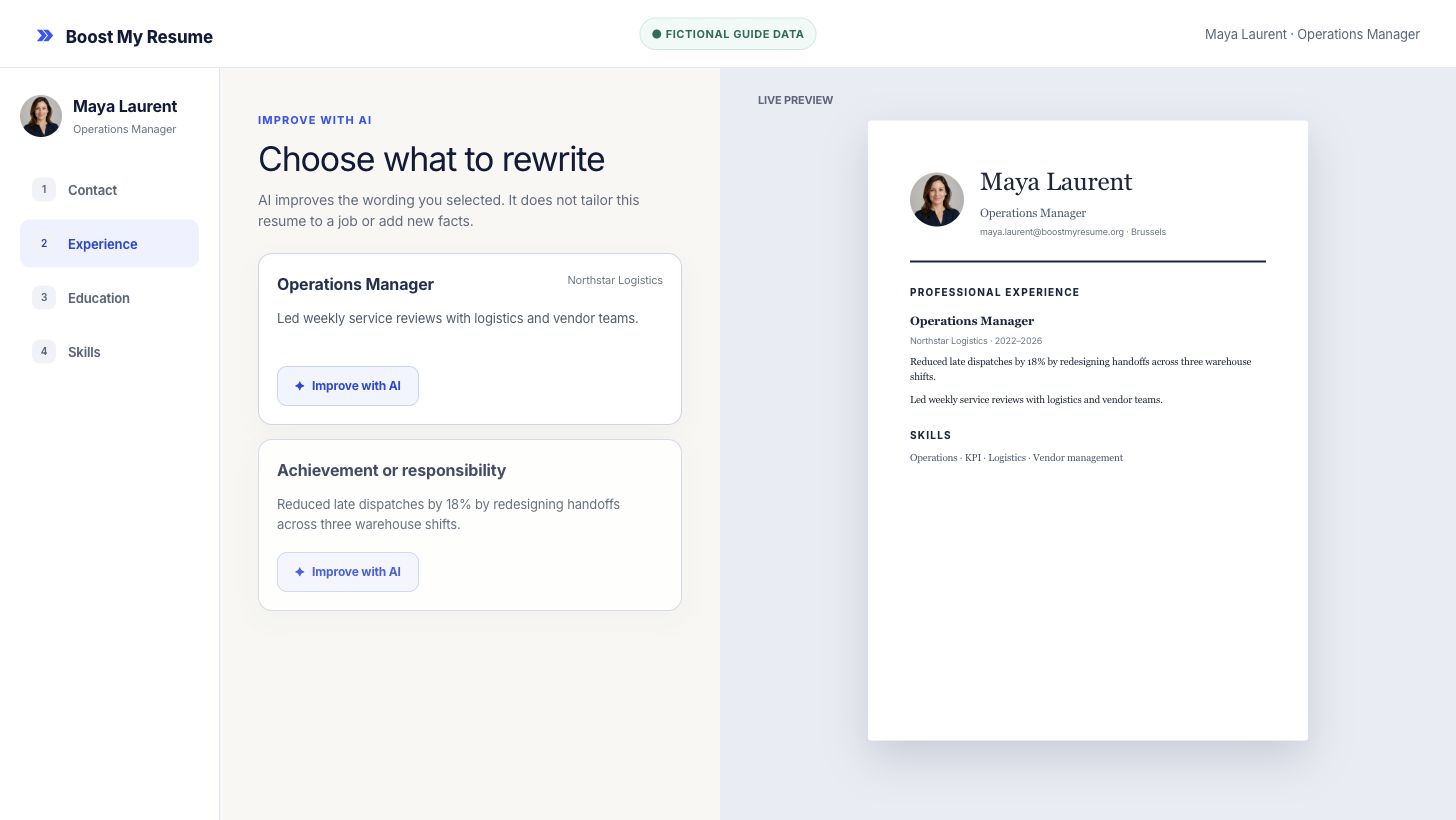
Open the online resume builder and select a professional summary or work-experience entry. Start with text that is accurate but vague, repetitive or difficult to scan. Include the real action, scope and result before asking for a rewrite.
2. Select Improve with AI
Use Improve with AI beside the selected section. The feature can make a bullet more direct, concise or outcome-led. It is different from full resume tailoring, which reads a job description and analyzes the match across the entire application.
3. Compare every AI rewrite with your original
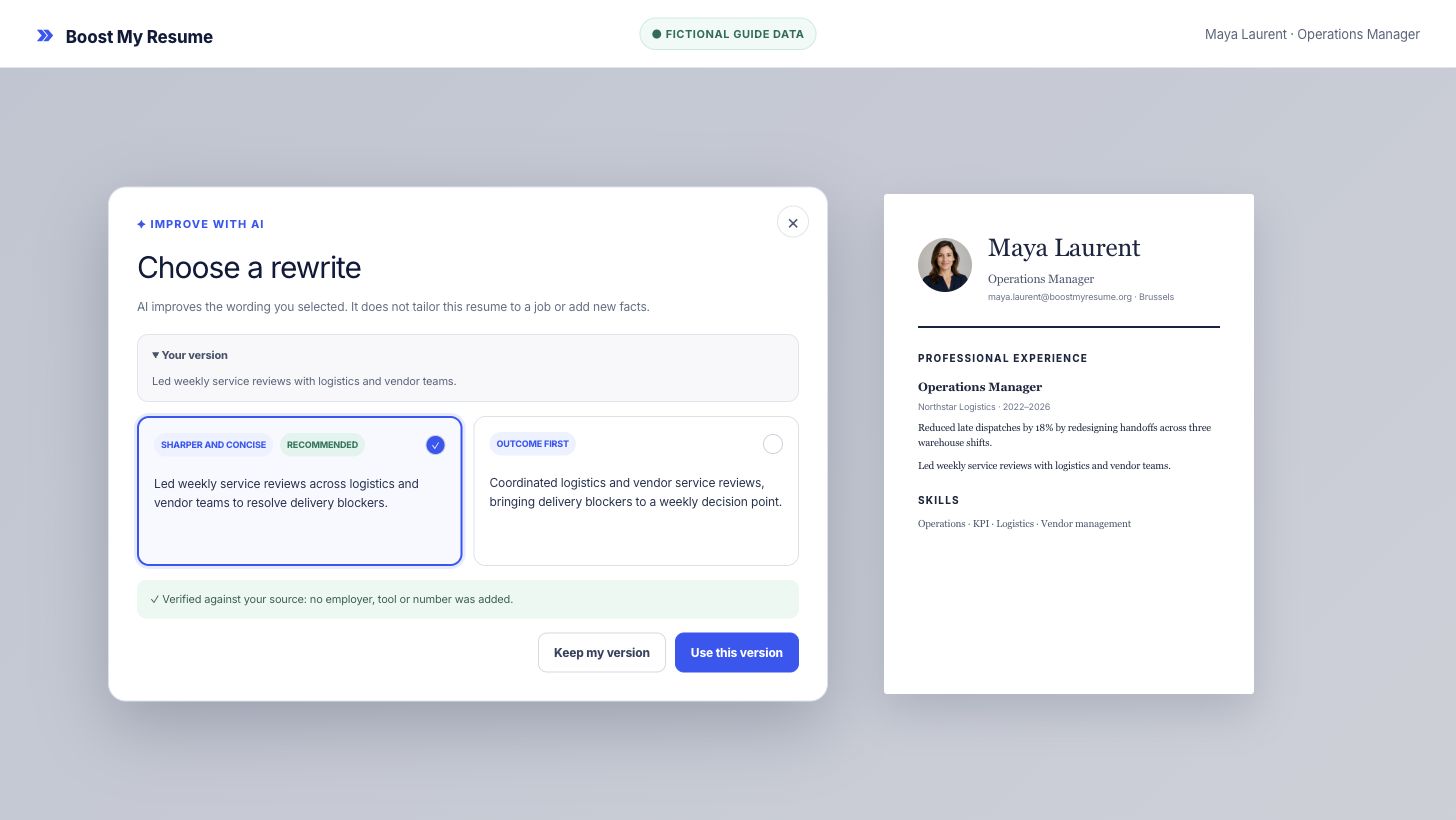
Review the original wording and the suggested options side by side. Check job titles, employers, dates, tools, figures, responsibilities and outcomes. Highlighted wording shows what changed, while the source receipt helps you verify preserved facts.
4. Use the accurate version or keep your own
Choose Use this version only if the meaning remains accurate. Choose Keep my version when a suggestion changes the scope or sounds unlike you. Then check the live resume preview for line wrapping and repetition.
To adapt the complete resume to one vacancy, continue with the guide to tailoring a resume to a job description.
Frequently asked questions
Can AI improve my resume without making up experience?
Yes, when the rewrite is limited to facts already in your resume and you review it before applying. Reject any wording that changes your scope, tools, figures or results.
What is the difference between Improve with AI and resume tailoring?
Improve with AI rewrites one selected section for clarity. Tailoring analyzes a specific job description, measures the match and creates a separate role-aligned application draft.
Does an AI rewrite replace my original text automatically?
No. You compare the original with multiple suggestions and choose whether to use one. Keeping your version leaves the resume unchanged.
Analyze and tailor
Improve one resume line with AI
Open the free editor, select a summary or experience entry and compare the rewrite with your original facts.